

Knowing whether a customer review is positive or negative, whether a tweet carries frustration or enthusiasm, this is exactly what sentiment analysis solves. It is one of the most practical applications of Natural Language Processing (NLP), and Python makes it surprisingly accessible.
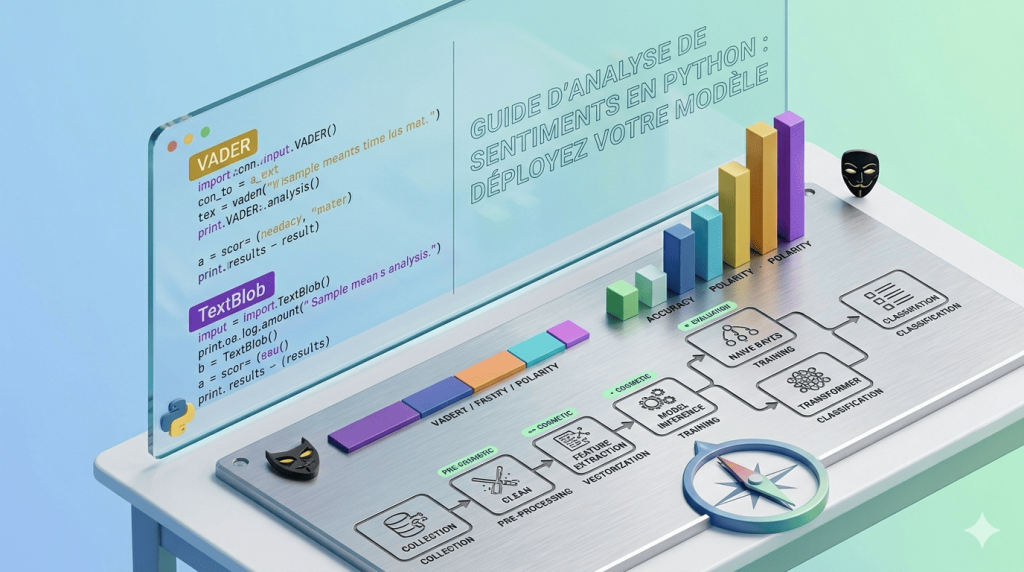
In this guide, you will go from zero to a working sentiment analysis pipeline, using the most popular Python libraries: NLTK, TextBlob, VADER, and a quick look at Hugging Face Transformers for when you need production-grade accuracy.
Table of Contents
- What Is Sentiment Analysis?
- How Sentiment Analysis Works
- Setting Up Your Python Environment
- Method 1 — TextBlob (Beginner-Friendly)
- Method 2 — VADER (Best for Social Media)
- Method 3 — NLTK with a Custom Classifier
- Method 4 — Transformers (Production-Ready)
- Choosing the Right Approach
- Real-world use cases
- Common Pitfalls and how to avoid them
- Conclusion
1. What Is sentiment analysis?
Sentiment analysis (also called opinion mining) is the process of computationally identifying and categorizing the emotional tone expressed in a piece of text, typically as positive, negative, or neutral.
It sits at the intersection of linguistics, machine learning, and psychology, and it powers a huge range of real applications:
- Brand monitoring on social media
- Customer review classification on e-commerce platforms
- Financial news analysis for trading signals
- Employee feedback processing in HR tools
The core challenge is that human language is deeply ambiguous. “This movie is not bad at all” is positive, but a naive keyword model that spots “not” and “bad” would flag it as negative. This is why the choice of method matters.
2. How sentiment analysis works
At a high level, there are three families of approaches:
Rule-based systems rely on curated lexicons, dictionaries that assign a polarity score to each word. VADER is the most famous example. They are fast, interpretable, and need no training data.
Machine learning classifiers train on labeled examples (positive/negative reviews) and learn patterns from the data. They generalize better but require a representative dataset.
Learn more : How to train, test & evaluate ML models step-by-step – Around Data Science
Transformer-based models (like BERT) use deep contextual understanding, they know that “sick” means different things in “I’m sick of waiting” versus “That drop was sick.” These deliver state-of-the-art accuracy but require more compute.
3. Setting up your Python environment
Start by creating a clean environment and installing the core libraries:
bash
python -m venv sentiment-env
source sentiment-env/bin/activate  # Windows: sentiment-env\Scripts\activate

pip install textblob nltk vaderSentiment transformers torch
Then download the required NLTK datasets:
python
import nltk
nltk.download('movie_reviews')
nltk.download('punkt')
nltk.download('stopwords')
nltk.download('vader_lexicon')
You are ready to go.
Bonus : Environment Preparation for Python: Anaconda and Jupyter Notebook – Around Data Science
4. Method 1 — TextBlob (Beginner-friendly)
TextBlob is the best starting point for beginners. It wraps NLTK and provides a clean, readable API.
python
from textblob import TextBlob

texts = [
    "Python is an absolutely fantastic language for data science.",
    "This tutorial was confusing and poorly written.",
    "The weather is okay today."
]

for text in texts:
    blob = TextBlob(text)
    polarity = blob.sentiment.polarity        # -1.0 to 1.0
    subjectivity = blob.sentiment.subjectivity  # 0.0 to 1.0

    if polarity > 0.1:
        label = "POSITIVE"
    elif polarity < -0.1:
        label = "NEGATIVE"
    else:
        label = "NEUTRAL"

    print(f"Text: {text[:50]}...")
    print(f"  → Polarity: {polarity:.2f} | Subjectivity: {subjectivity:.2f} | Label: {label}\n")
Output:
Text: Python is an absolutely fantastic language for data...
  → Polarity: 0.73 | Subjectivity: 0.83 | Label: POSITIVE

Text: This tutorial was confusing and poorly written....
  → Polarity: -0.45 | Subjectivity: 0.75 | Label: NEGATIVE

Text: The weather is okay today....
  → Polarity: 0.20 | Subjectivity: 0.35 | Label: POSITIVE
When to use TextBlob: Quick prototypes, clean English text, scenarios where subjectivity scoring matters.
Limitation: It is trained on formal text and struggles with slang, sarcasm, and short social media posts.
5. Method 2 — VADER (Best for social media)
VADER (Valence Aware Dictionary and Sentiment Reasoner) was specifically designed for short, informal text, tweets, reviews, comments. It handles capitalization (“AMAZING”), punctuation (“great!!!”), and common internet slang.
python
from vaderSentiment.vaderSentiment import SentimentIntensityAnalyzer

analyzer = SentimentIntensityAnalyzer()

social_texts = [
    "OMG this new Python library is AMAZING!!! 🔥",
    "Ugh, another dependency conflict... I hate this.",
    "Just finished the tutorial. It was fine.",
    "Not bad at all, actually quite good!"
]

for text in social_texts:
    scores = analyzer.polarity_scores(text)
    compound = scores['compound']

    if compound >= 0.05:
        label = "POSITIVE"
    elif compound <= -0.05:
        label = "NEGATIVE"
    else:
        label = "NEUTRAL"

    print(f"Text: {text}")
    print(f"  → Scores: {scores}")
    print(f"  → Label: {label}\n")
Output:
Text: OMG this new Python library is AMAZING!!! 🔥
  → Scores: {'neg': 0.0, 'neu': 0.226, 'pos': 0.774, 'compound': 0.8225}
  → Label: POSITIVE

Text: Not bad at all, actually quite good!
  → Scores: {'neg': 0.0, 'neu': 0.389, 'pos': 0.611, 'compound': 0.6249}
  → Label: POSITIVE
Notice that VADER correctly identifies “Not bad at all” as positive, handling negation that TextBlob missed.
When to use VADER: Twitter/Reddit analysis, customer reviews, any informal short-form text.
6. Method 3 — NLTK with a custom classifier
When the pre-built tools do not fit your domain (medical text, legal documents, industry-specific jargon), training your own classifier is the right call.
Here is a full pipeline using NLTK’s movie_reviews corpus and a Naive Bayes classifier:
python
import nltk
from nltk.corpus import movie_reviews
from nltk.classify import NaiveBayesClassifier
from nltk.classify.util import accuracy
import random

# --- Feature extraction ---
def extract_features(words):
    return {word: True for word in words}

# --- Load and shuffle data ---
documents = [
    (list(movie_reviews.words(fileid)), category)
    for category in movie_reviews.categories()
    for fileid in movie_reviews.fileids(category)
]
random.shuffle(documents)

# --- Build feature sets ---
feature_sets = [
    (extract_features(doc), label)
    for doc, label in documents
]

# --- Train/test split ---
train_size = int(len(feature_sets) * 0.8)
train_set = feature_sets[:train_size]
test_set  = feature_sets[train_size:]

# --- Train classifier ---
classifier = NaiveBayesClassifier.train(train_set)

# --- Evaluate ---
print(f"Accuracy: {accuracy(classifier, test_set):.2%}")
classifier.show_most_informative_features(10)

# --- Predict new text ---
def predict_sentiment(text):
    words = nltk.word_tokenize(text.lower())
    features = extract_features(words)
    label = classifier.classify(features)
    prob  = classifier.prob_classify(features)
    return label, prob.prob(label)

text = "The plot was gripping and the performances were stellar."
label, confidence = predict_sentiment(text)
print(f"\nPrediction: {label} (confidence: {confidence:.2%})")
Typical output:
Accuracy: 81.00%
Most Informative Features:
  outstanding = True          pos : neg  =     13.6 : 1.0
  mulan       = True          pos : neg  =     12.4 : 1.0
  ...

Prediction: pos (confidence: 87.43%)
When to use a custom classifier: Domain-specific datasets, when accuracy on your particular use case is paramount, and you have labeled training data available.
7. Method 4 — Transformers (Production-ready)
For production applications where accuracy is non-negotiable, Hugging Face Transformers powered by BERT-based models set the standard. They understand context at a level that rule-based and Naive Bayes approaches cannot match.
python
from transformers import pipeline

# Load pre-trained sentiment pipeline
sentiment_pipeline = pipeline(
    "sentiment-analysis",
    model="distilbert-base-uncased-finetuned-sst-2-english"
)

texts = [
    "The architecture of this system is elegantly designed.",
    "I waited 3 hours and the service was absolutely terrible.",
    "It's neither impressive nor disappointing — just average.",
    "Despite a slow start, the ending completely redeemed the film."
]

results = sentiment_pipeline(texts)

for text, result in zip(texts, results):
    print(f"Text:  {text[:60]}...")
    print(f"Label: {result['label']} | Score: {result['score']:.4f}\n")
Output:
Text:  The architecture of this system is elegantly designed....
Label: POSITIVE | Score: 0.9998

Text:  Despite a slow start, the ending completely redeemed t...
Label: POSITIVE | Score: 0.9741
The transformer correctly handles nuanced phrases like “despite a slow start”, context that defeats simpler methods.
When to use Transformers: Customer-facing products, high-stakes classification, multilingual needs (use xlm-roberta for non-English text).
8. Choosing the right approach
| Method | Speed | Accuracy | Training Data Needed | Best For |
|---|---|---|---|---|
| TextBlob | ⚡⚡⚡ | ★★☆ | No | Quick prototypes |
| VADER | ⚡⚡⚡ | ★★★ | No | Social media, short text |
| NLTK Custom | ⚡⚡ | ★★★ | Yes | Domain-specific tasks |
| Transformers | ⚡ | ★★★★★ | No (pre-trained) | Production systems |
A good rule of thumb: start with VADER, measure it against your actual data, and only escalate to a transformer model if the accuracy gap justifies the extra compute cost.
9. Real-world use cases
E-commerce review analysis. Automatically tag thousands of product reviews as positive or negative, then aggregate by product category to identify weak points in your catalogue.
Social media brand monitoring. Track mentions of your brand on Twitter in real time and alert the team when negative sentiment spikes above a threshold, ideal for crisis detection.
Financial news sentiment. Classify financial headlines to generate a sentiment signal that feeds into a trading algorithm. Studies consistently show a correlation between news sentiment and short-term price movement.
Customer support triage. Route incoming support tickets by emotional urgency, an angry customer message can be escalated immediately while a neutral inquiry waits in the standard queue.
10. Common Pitfalls and how to avoid them
Ignoring domain context. “This drug has no side effects” is positive in a healthcare context. A generic model trained on movie reviews will misclassify it. Always validate your chosen method against a representative sample of your data before shipping to production.
Treating neutral as unimportant. Neutral text is often the majority class in real datasets. Ignoring it skews your model’s behavior. Include neutral examples in your training data and evaluation metrics.
Not handling negation properly. “Not good” and “good” are opposites. VADER handles this well. TextBlob and simple bag-of-words classifiers often do not. If negation matters for your use case, use VADER or a transformer.
Overlooking language and encoding. If you are processing multilingual text, standard English models will produce garbage predictions on French, Arabic, or Chinese inputs. Use a multilingual model (xlm-roberta-base) from the start.
Evaluating only on accuracy. On an imbalanced dataset (90% positive, 10% negative), a model that always predicts “positive” achieves 90% accuracy and is completely useless. Always report precision, recall, and F1-score per class.
11. Conclusion
Sentiment analysis is one of the most impactful NLP techniques you can add to your Python toolkit. Here is what you learned in this guide:
- TextBlob for quick prototyping on clean English text
- VADER for social media and informal short-form content
- NLTK with Naive Bayes when you need a domain-specific classifier trained on your own data
- Hugging Face Transformers for production-grade accuracy on complex, nuanced text
The best next step is to pick a dataset relevant to your use case, whether that is Amazon product reviews, Twitter data, or your own customer feedback, and benchmark all four methods against it. Real-world performance almost always differs from benchmark numbers, and there is no substitute for testing on your actual data.
👉 Join the Around Data Science community on Discord, subscribe to our newsletter, and follow us on LinkedIn for more free resources, tutorials and career tips.



0 Comments